Actuarial software you control without writing code
Your team owns the calculations, the data transformations and the reporting. Rules are written in forms and plain language, approved by a second person and shown beside every figure. It is not a black box.
What you control
Everything your team can change, and how
Each item below is changed by the people who own it, in the application, with no code and no change request to a vendor.
| What | Engine | How you change it | Before it applies |
|---|---|---|---|
| Valuation basis and method choices | PRISM | Load a basis, or change one item in a form with the reason | Second-person approval |
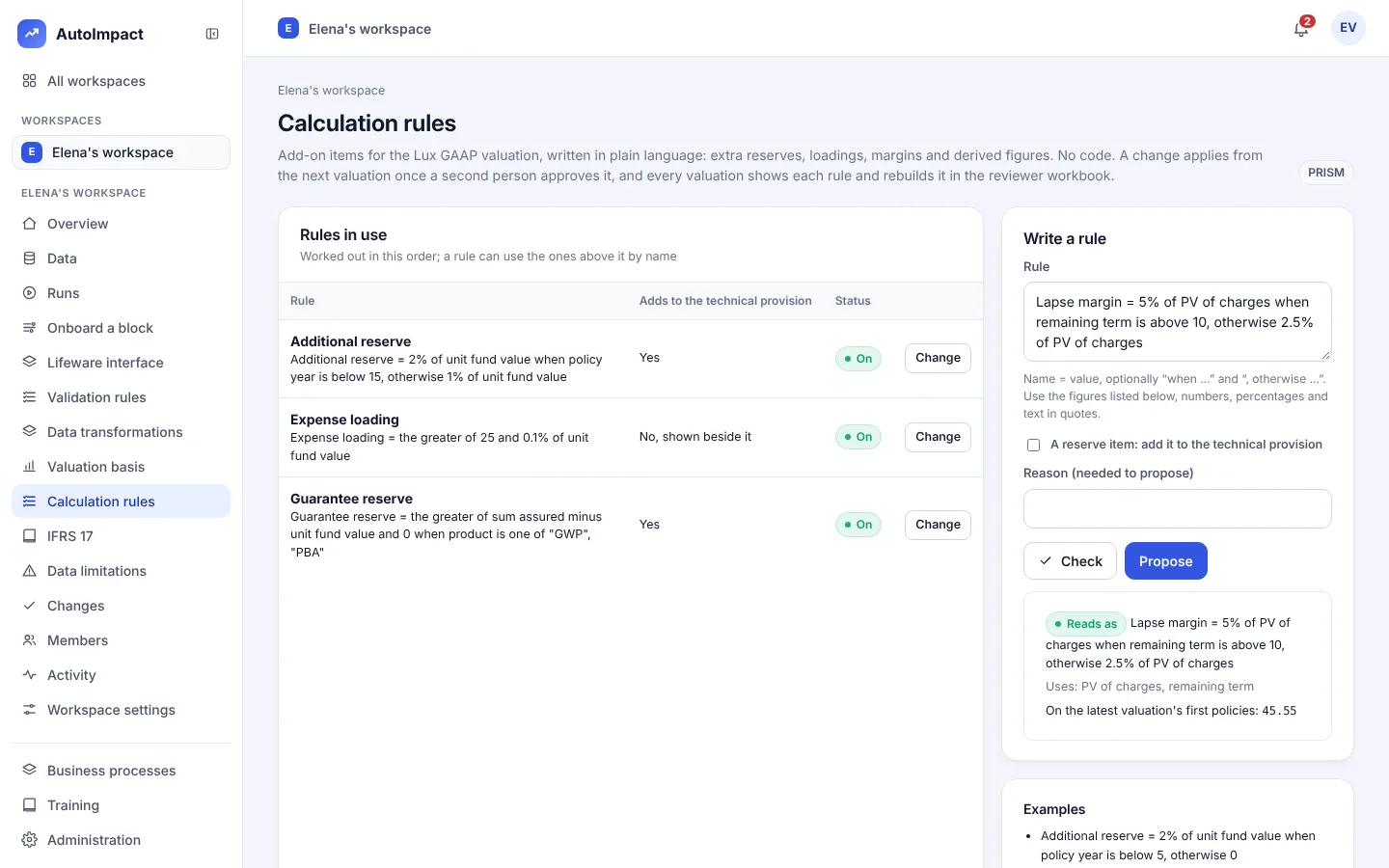
| Calculation rules (Lux GAAP add-on items) New | PRISM | Write the rule in plain language; Check reads it back and shows its value | Second-person approval; applies from the next valuation |
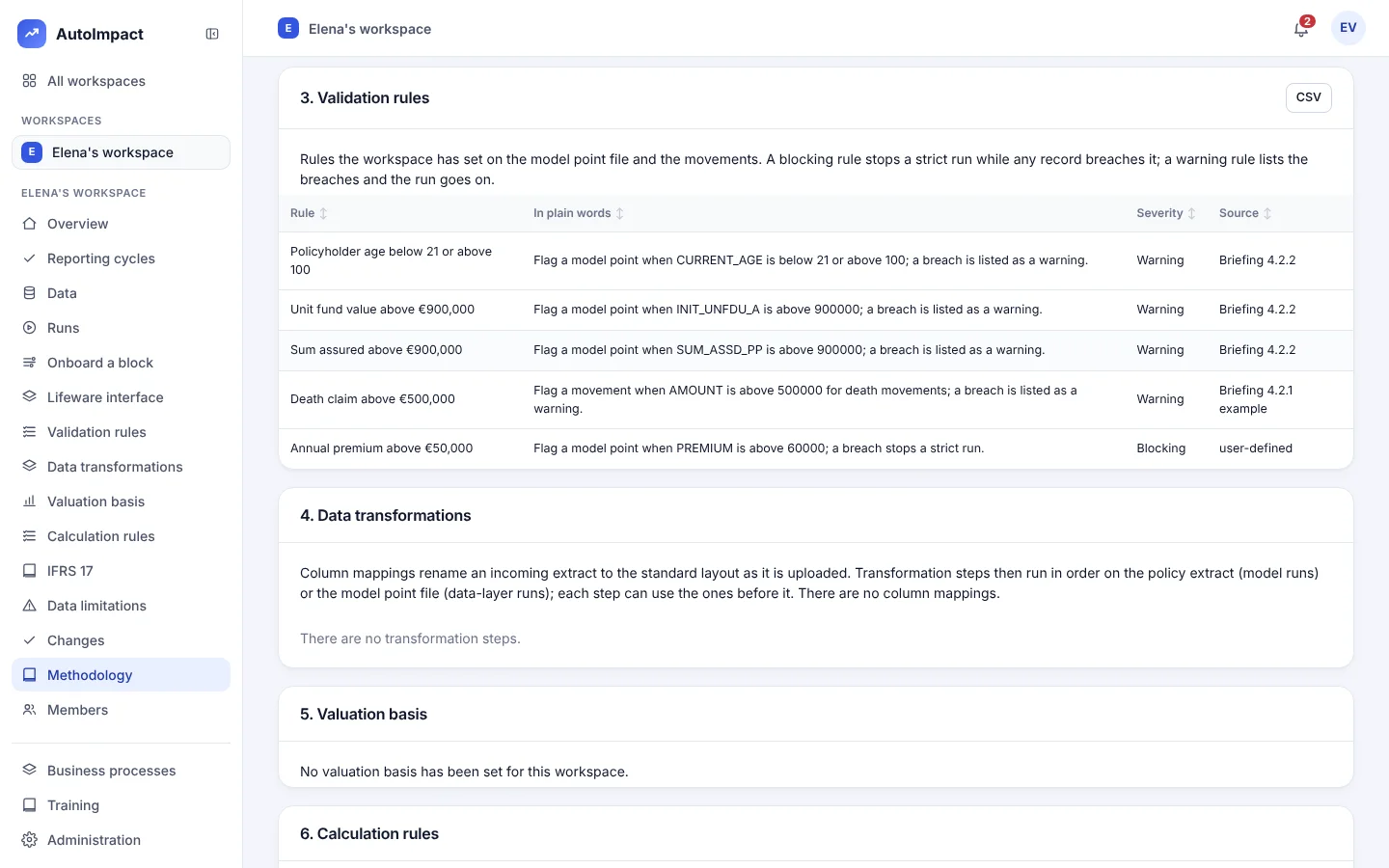
| Validation rules | TRACE | Choose the column, the test, the limits and whether a breach warns or blocks, by product or movement type | Second-person approval; applies from the next run |
| Rule severity New | TRACE | Warning lists the breaches; blocking stops a strict run | Second-person approval; compare any two versions |
| Reporting cycles New | TRACE | Start a cycle for the period in production or testing mode | Three people per step in production |
| Interface layouts | TRACE | Import your policy system's metadata workbook | Each layout change approved |
| Saved column mappings New | TRACE | On Onboard a block, check each column's suggested target, name the mapping and propose it | Second-person approval |
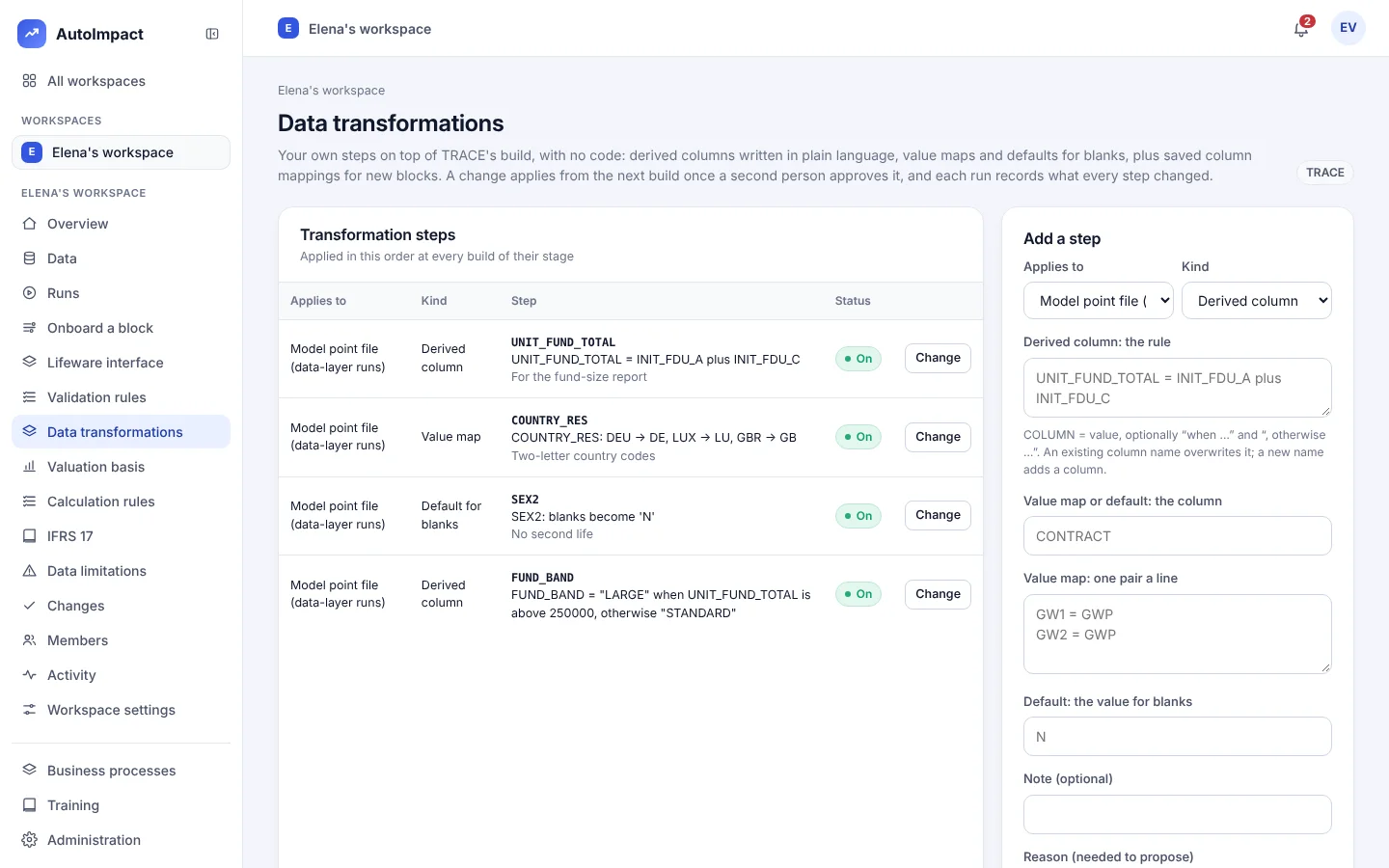
| Data transformations New | TRACE | Derived columns in plain language, value maps and defaults for blanks | Second-person approval; each run records the rows changed |
| IFRS 17 basis and opening CSM | PRISM | Load portfolios, cost of capital, stresses and last period's CSM by group | Second-person approval |
| IFRS 17 on another model's cash flows New | PRISM | Load one CSV, one row per group and year | Refused with a reason if the file has a mistake |
How a change goes live
Written, checked, approved, recorded
Write
The analyst writes the rule, mapping or basis change in a form or in plain language, with the reason.
Check
For a calculation rule, the Check button reads it back in plain words, lists the figures it uses and shows its value on the latest valuation's first policies.
Approve
A second person reviews and approves it. Until then, nothing changes in any run.
Apply and record
It applies from the next valuation or build. Each run records how many rows every data step changed, and shows every rule per policy.
On screen
Calculation rules and data transformations
Not a black box
Every figure shows how it was made
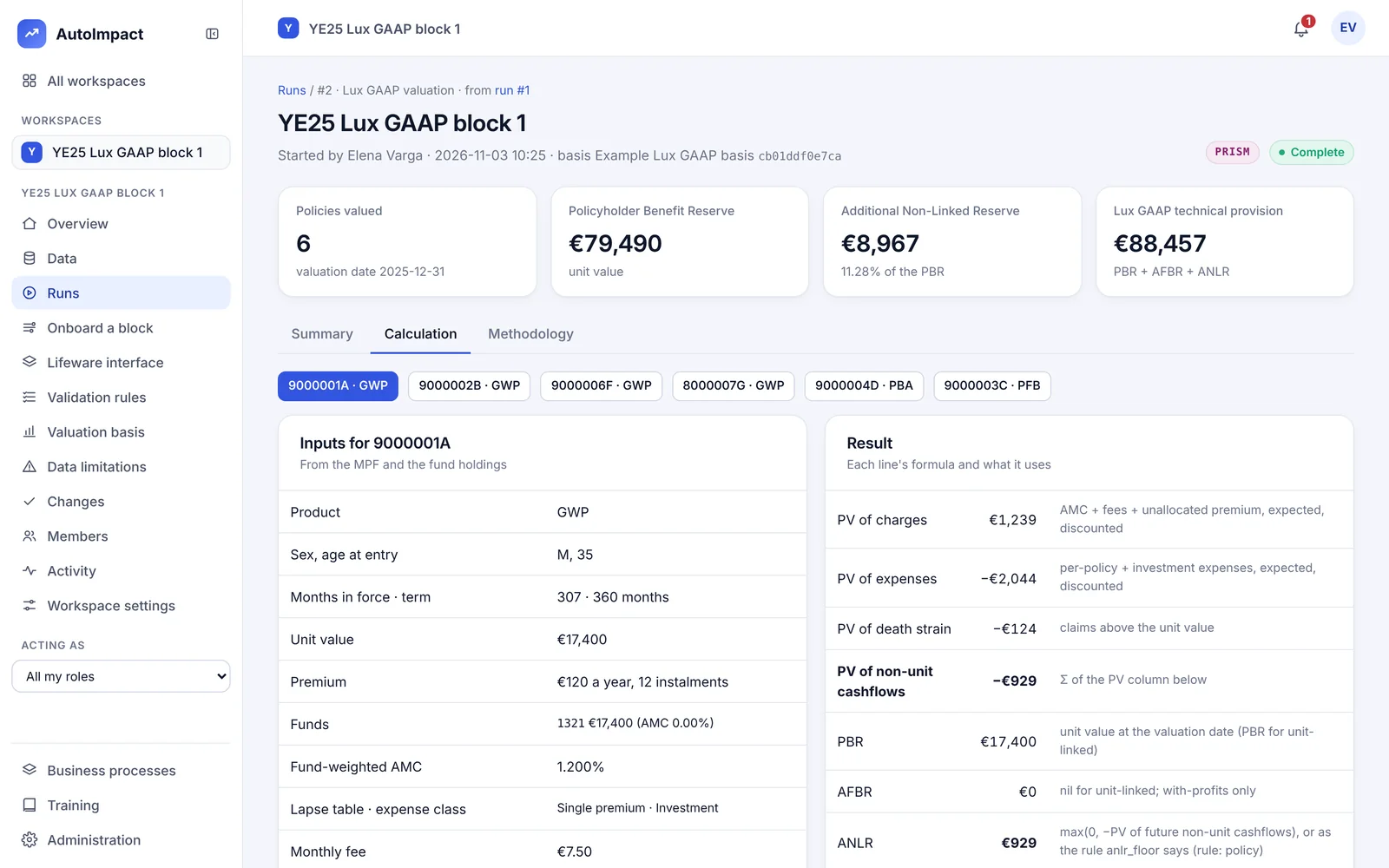
- Formula drill-down. Open any policy to see each figure with its formula, its inputs and the basis item or rule it used.
- Reviewer workbook. Each run rebuilds the calculation in ordinary Excel formulas beside the engine's figures. How it works
- Methodology that matches. The methodology document is generated from the definitions the calculation runs on.
New Versions and methodology
Every version kept, and a methodology that matches
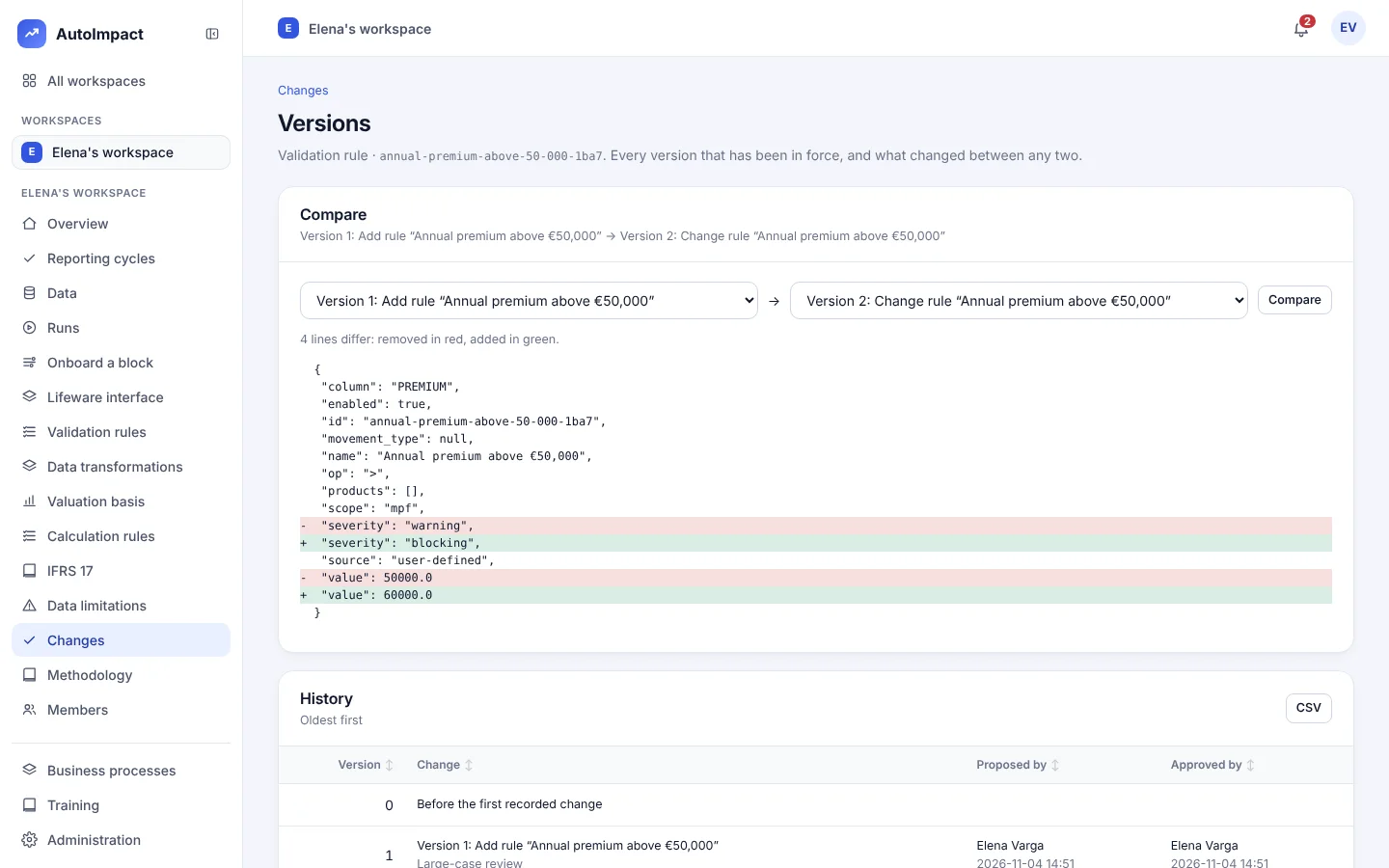
Approved changes keep their before and after, so any two versions of a rule or setting can be compared line by line. The methodology document is written from the definitions in force, so it changes when they do.
"column": "PREMIUM", "name": "Annual premium above €50,000", "op": ">",- "severity": "warning",+ "severity": "blocking", "scope": "mpf",- "value": 50000+ "value": 60000Flag a model point when PREMIUM is above 50000; a breach is listed as a warning.
Flag a model point when PREMIUM is above 60000; a breach stops a strict run.
Version 2 · proposed by Elena Varga · approved by Anna Keller · any two versions can be compared
Questions
Do we need developers or Python to run AutoImpact?
No. Bases, validation rules, column mappings, data transformations and calculation rules are all set in forms or written in plain language. Dalsin builds and tests the engine itself.
What does a calculation rule look like?
Plain words, for example: Additional reserve = 2% of unit fund value when policy year is below 5, otherwise 0. A rule can use 18 figures, such as unit fund value, policy year and sum assured, and earlier rules by name. It applies to the Lux GAAP valuation once a second person approves it, and the reviewer workbook's Add-on items sheet rebuilds it as an Excel formula.
Who approves a change?
A second person whose role includes the approval. What a person can do comes from the business processes in their roles, so the person who proposes a change can't also approve it.
Can an auditor see who changed what?
Yes. Every rule, mapping, step and basis change waits for a second person's approval. Each run records how many rows every data transformation changed and the lineage of the columns it wrote, and the reviewer workbook re-performs the calculation, including every add-on item, in Excel.
Does no-code mean we can build any model we like?
No. You control the basis, the data preparation, the checks, add-on items on the Lux GAAP valuation and the reporting. The core projection and the IFRS 17 mechanics are AutoImpact's, built and tested by Dalsin, and new treatments arrive in releases.
See a rule go live
In 30 minutes we'll write a calculation rule and a data transformation, approve them and show them in the results and the workbook.
Or email hello@autoimpact.co.uk · Ask for the brochure