Model point file reconciliation, field by field
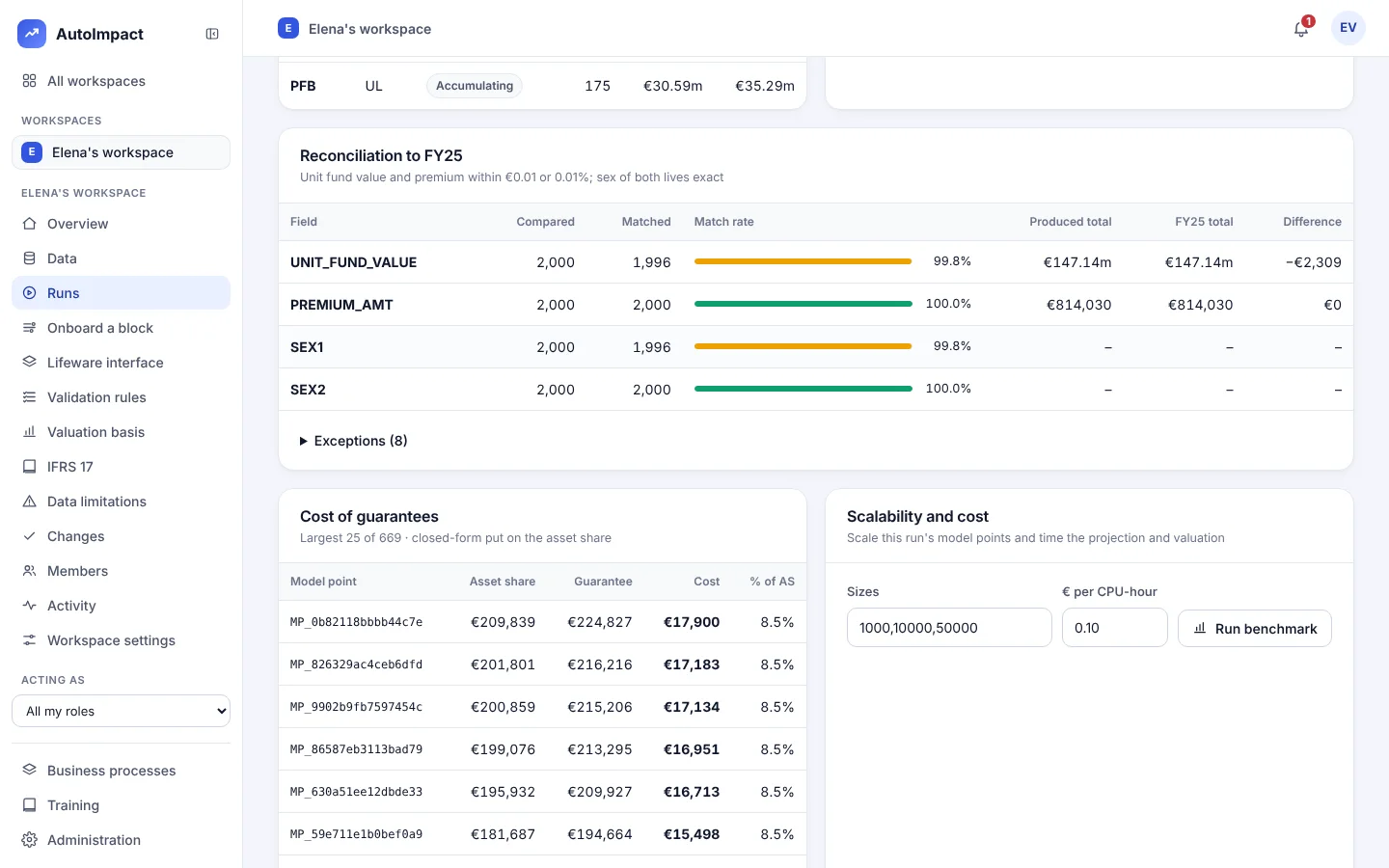
TRACE builds the model point file from your month-end extracts, compares every field with production or last period, scores it against your criteria and holds sign-off until every break is explained.
How the reconciliation works
- Build. Policies, contracts and funds combined with unit prices, the fund mapping and exchange rates, each column with its lineage.
- Compare. Every field of every policy against the reference file, with policies missing on either side listed.
- Score. Results by product against your success criteria, for example monetary totals within 0.5% and rates exact on 90% of rows.
- Explain. Every exception listed. A run can't be signed off until the breaks are explained.
- Movements. New business, exits and transfers between month-ends, validated.
- Sign off. Doer, checker and reviewer each sign, and the file is locked. A correction is a new version with its reason.
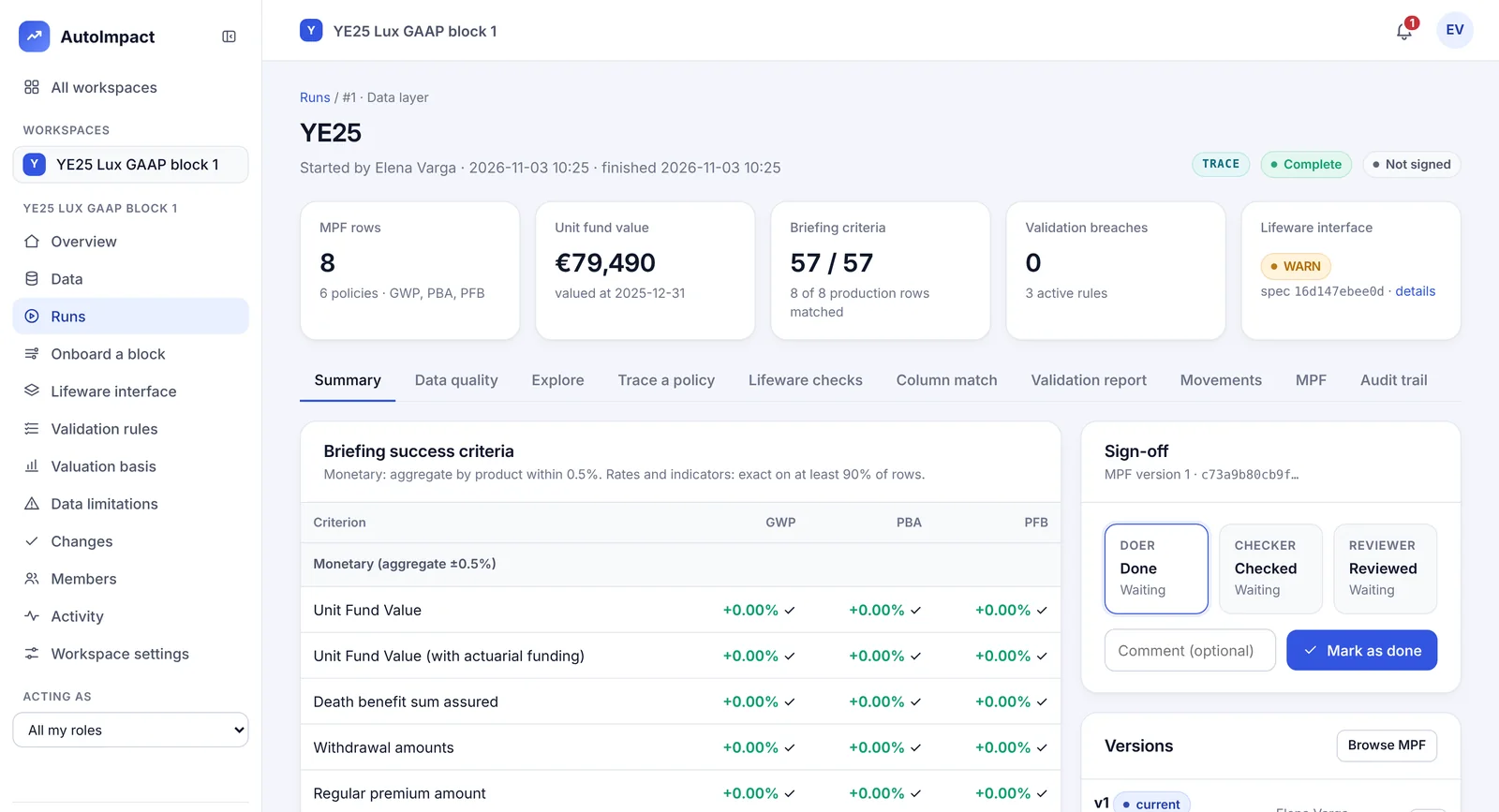
On the demo book
What a reconciliation looks like
model points built from the extract
matched to last year's model point file
Figures from AutoImpact's synthetic demo book, with no real policyholders. Your results depend on your data.
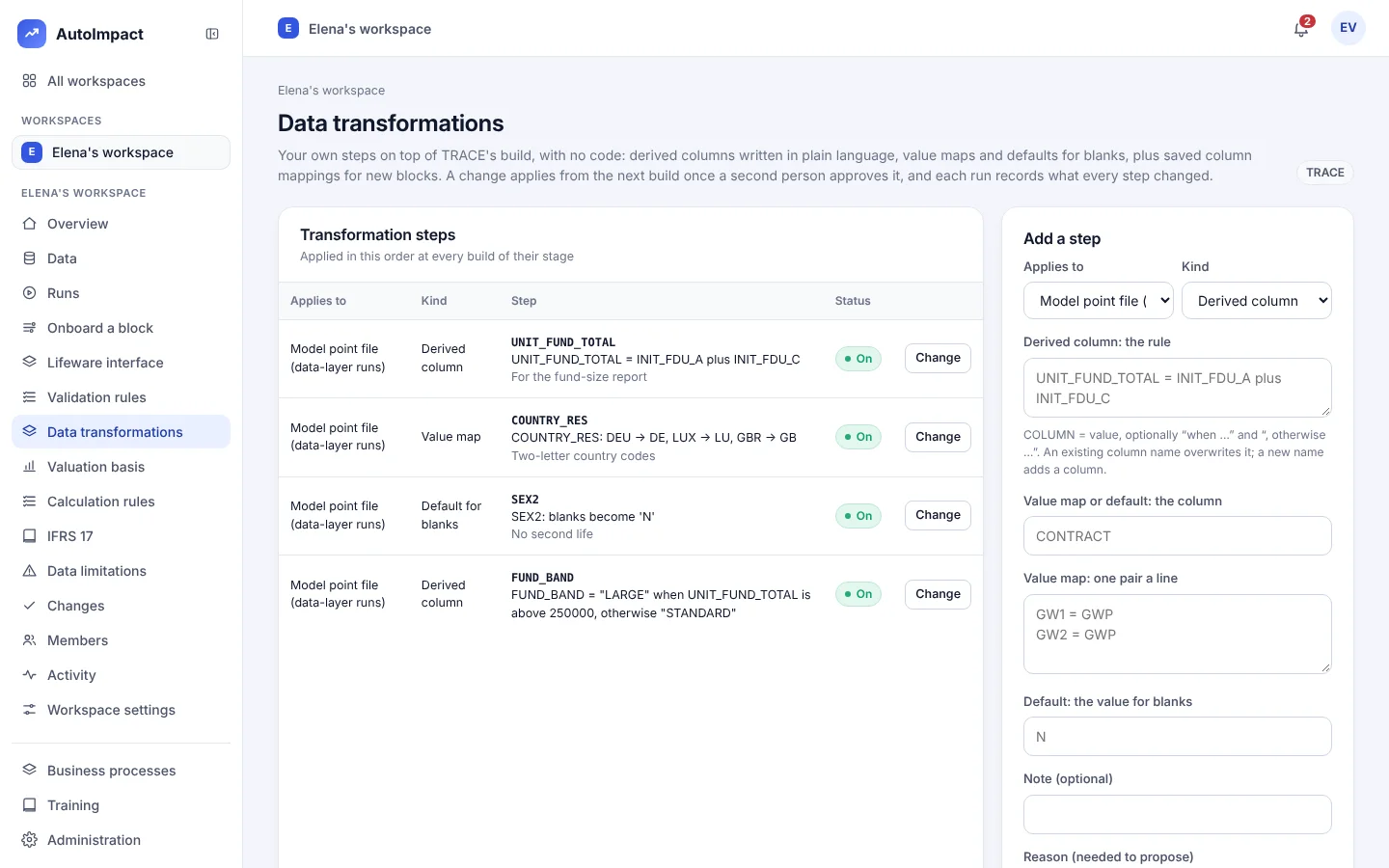
Configure it yourself
The data side is yours, without code
Validation rules
The column, the test and the limits, by product or movement type, approved by a second person.
Saved column mappings
Name and propose a mapping for a new block. Once approved, choose it when you upload that block's policy extract.
Data transformations
Derived columns in plain language, value maps and defaults for blanks. Each run records the rows every step changed, and the lineage of the columns it wrote.
More on TRACE and what you control without code.
Questions
What does TRACE reconcile the model point file against?
The production model point file or last period's, field by field and policy by policy, scored against the success criteria you set by product.
Can we set our own tolerances?
Yes, by product: for example monetary totals within 0.5% and rates exact on 90% of rows. Validation rules are written in a form, with no code, and apply once a second person approves them.
Our policy system isn't Lifeware. Can TRACE still build the file?
Yes. On Onboard a block, upload a sample extract and TRACE suggests a target for each column. Check or change each one, name the mapping and propose it. Once approved, choose it when you upload that block's policy extract.
Can the result feed our existing actuarial model?
Yes. A locked model point file exports to Excel and to Prophet model point files, so TRACE can sit in front of the model you already run.
Does policyholder data leave our network?
No. AutoImpact runs on your own machines. Names and addresses are removed on upload and policy numbers are replaced with keyed pseudonyms.
Reconcile your own model point file
Bring an extract and last period's model point file. We'll build and reconcile it with you, and show every exception.
Or email hello@autoimpact.co.uk · Ask for the brochure