The IFRS 17 CSM on your existing model's results
Keep your actuarial model. Load its cash flows in one CSV, one row per group and year, and AutoImpact discounts them on the IFRS 17 curve and runs the same CSM roll-forward, disclosures and reviewer workbook.
New One CSV layout
What you load
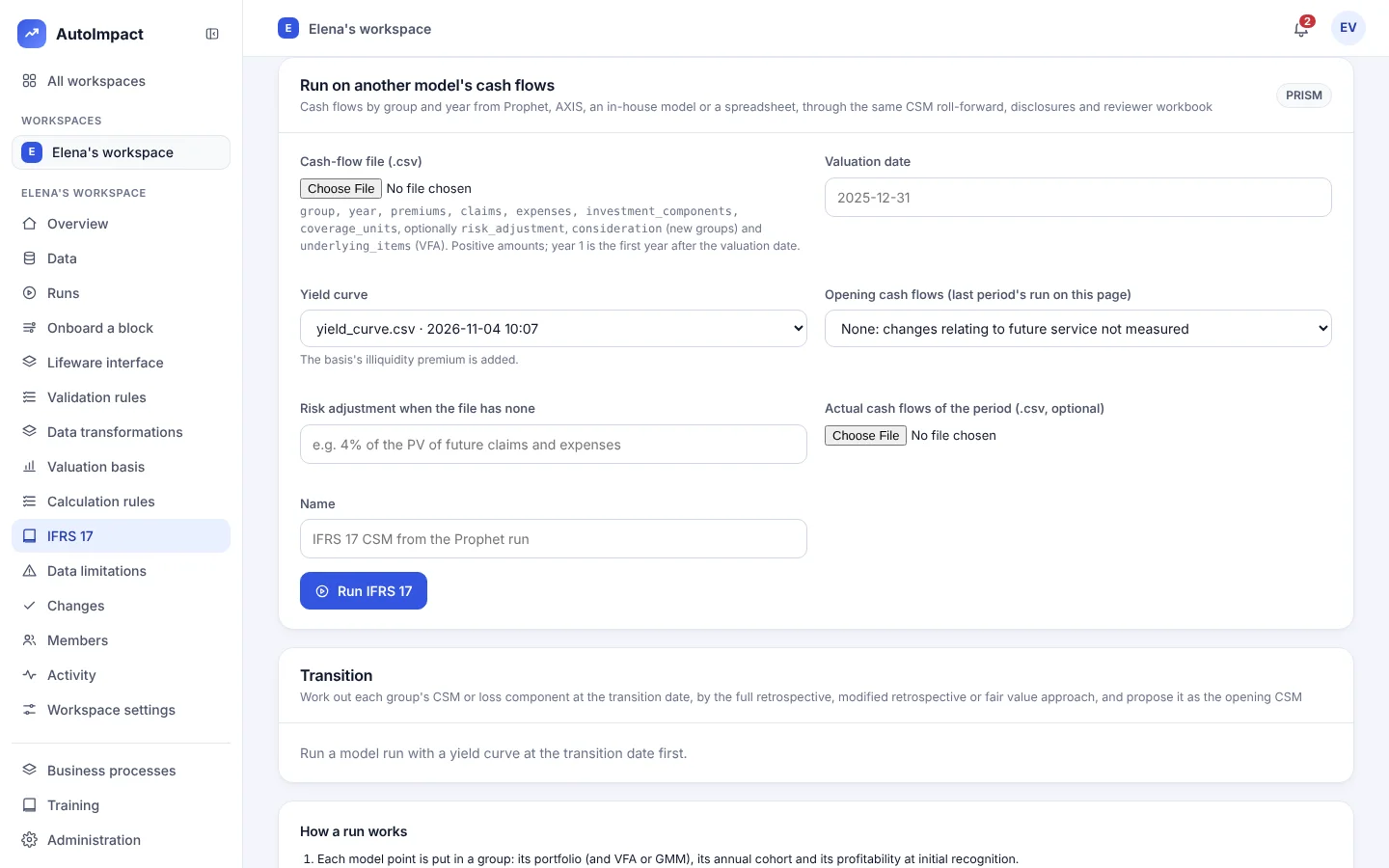
On the IFRS 17 page, "Run on another model's cash flows" takes one CSV, one row per group and year. A file with a mistake is refused with a reason before any run starts.
| Column | What it holds | Required? |
|---|---|---|
| group | The group, named PORTFOLIO-COHORT-PROFITABILITY, the portfolio from the workspace's IFRS 17 basis. | Yes |
| year | The year the cash flows fall in. | Yes |
| premiums | Premiums in the year. | Yes |
| claims | Claims in the year. | Yes |
| expenses | Expenses in the year. | Yes |
| investment_components | Investment components in the year. | Yes |
| coverage_units | Coverage units in the year. | Yes |
| risk_adjustment | The risk adjustment, once per group. | Optional |
| consideration | For new groups. | Optional |
| underlying_items | For VFA groups. | Optional |
On the same form: the yield curve, a risk adjustment percentage for when the file has none, last period's run from this page as the opening, and the period's actual cash flows if you have them.
What AutoImpact does with them
From cash flows to disclosures
Discount
Each year's cash flows are discounted from the end of the year on the IFRS 17 curve: the chosen curve plus the basis's illiquidity premium.
Risk adjustment
Taken from the file, as given. Failing that, the percentage of the PV of future claims and expenses you give.
Roll forward
The same CSM roll-forward and loss component. With last period's run as the opening, changes relating to future service are measured; without it they are nil, and the run notes say so.
Disclose and check
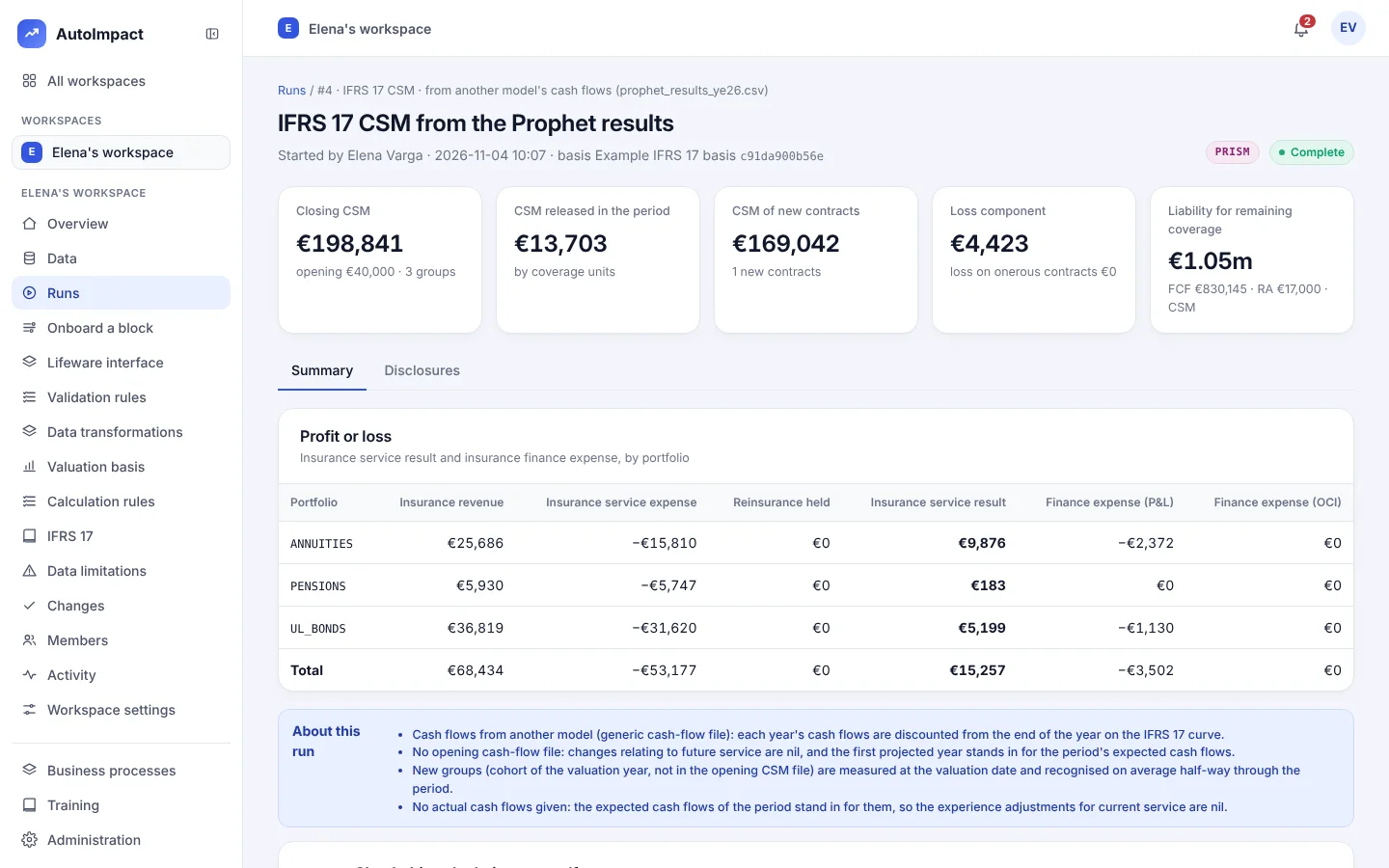
Disclosures 100, 101, 107 and 109, profit or loss, and the same reviewer workbook.
Why teams do it
An IFRS 17 engine beside your model
- No rebuild. Your projection stays where it is, run by the people who know it.
- The same engine. The same CSM roll-forward, loss component, disclosures and reviewer workbook as for AutoImpact's own projections.
- Open to review. The reviewer workbook rebuilds the roll-forward in Excel. The risk adjustment from your file is taken as given.
- Plain about gaps. The run notes say when there was no opening or no actual cash flows, and what that means.
Questions
Which actuarial models can feed the IFRS 17 engine?
Any that can write one CSV with one row per group and year: FIS Prophet, Moody's AXIS, an in-house model or a spreadsheet.
Do we have to replace our actuarial model?
No. Keep projecting where you do today. AutoImpact discounts the cash flows on the IFRS 17 curve and runs the same CSM roll-forward, disclosures and reviewer workbook.
Where does the risk adjustment come from?
From the file, in the optional risk_adjustment column, once per group, and it is taken as given, not rebuilt. If the file has none, you give a percentage of the PV of future claims and expenses.
How are changes relating to future service measured?
Choose last period's run from this page as the opening, and they are measured. Without it they are nil, and the run notes say so. Actual cash flows for the period are optional.
Which disclosures come out?
The same as for AutoImpact's own projections: the CSM roll-forward and loss component, disclosures 100, 101, 107 and 109, and profit or loss, with the reviewer workbook.
What if the file has a mistake?
It is refused with a reason before any run starts.
See the IFRS 17 engine on your own results
Send cash flows for a few groups from your current model. We'll roll the CSM forward and produce the disclosures with you.
Or email hello@autoimpact.co.uk · Ask for the brochure